

In a world where gaming is king and every pixel counts, a Windows 10 gaming PC is your trusty steed, ready to gallop into digital realms. Forget about lagging behind your friends in the latest multiplayer showdown; with the right setup, you’ll be the one leading the charge, leaving your opponents wondering how you leveled up so fast.
Overview of Windows 10 Gaming PC
A Windows 10 gaming PC serves as a powerful platform that enhances the gaming experience. High-performance components play a crucial role in achieving optimal gaming performance. Gamers require advanced graphics cards to render high-quality visuals smoothly. Fast processors support complex calculations and improve gameplay responsiveness.
Storage options also affect gaming performance. Solid-state drives (SSDs) significantly reduce loading times, while traditional hard drives (HDDs) provide larger storage capacities for game libraries. Additionally, RAM size impacts the ability to multitask and run demanding games without lag.
Compatibility with various peripherals is essential. A reliable Windows 10 system accommodates gaming mice, keyboards, and VR headsets seamlessly. Networking capabilities also contribute to an improved experience, with fast internet connections allowing for online multiplayer interactions.
The Windows 10 operating system offers multiple features to enhance gaming. Features like Game Mode prioritize system resources for smoother performance during gameplay. DirectX 12 enables better graphics rendering, resulting in impressive visuals.
Regular updates ensure the system remains optimized for the latest games. Gamers benefit from new features and security enhancements that protect their devices. Consequently, investing in a well-equipped gaming PC provides a competitive advantage and an immersive gaming experience.
Understanding hardware requirements enables gamers to select components that meet their performance expectations. By choosing the right specifications and features, players can enjoy uninterrupted gameplay and full engagement in their gaming adventures.
Key Components of a Windows 10 Gaming PC
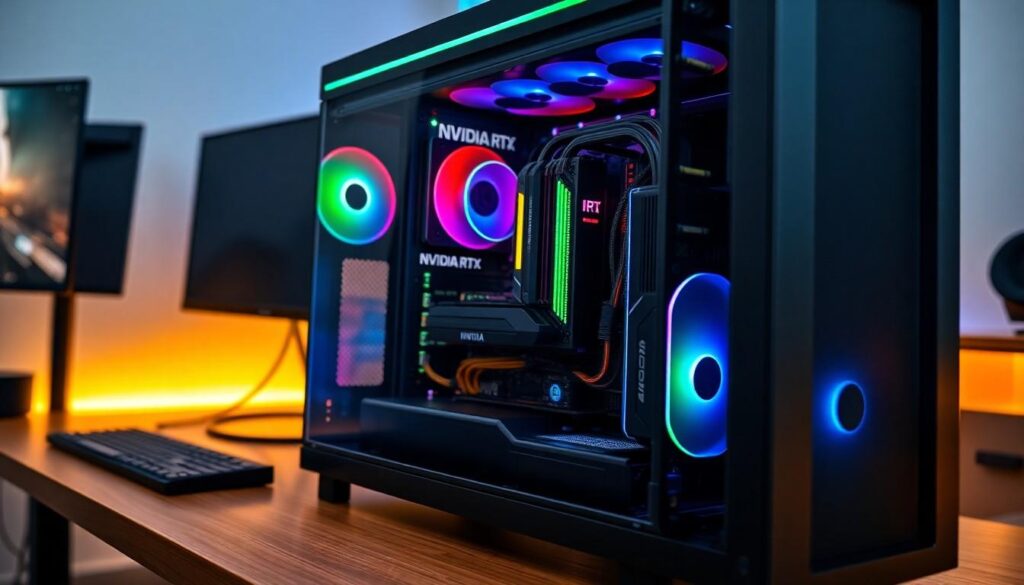
Understanding the key components fosters informed decisions for building a Windows 10 gaming PC. Each component plays a vital role in delivering exceptional gaming performance.
Processor Choices
Processors greatly influence overall system speed. Intel’s Core i5 and i7 series provide excellent options for gamers demanding high performance. AMD’s Ryzen 5 and 7 series also deliver significant power for multitasking and handling demanding titles. Selecting a processor with multiple cores enhances gaming performance, particularly in titles that utilize parallel processing. Optimal clock speeds improve responsiveness, contributing to smoother gameplay experiences. Therefore, choosing the right processor is crucial for ensuring that games run efficiently.
Graphics Card Options
Graphics cards serve as the heart of a gaming PC. NVIDIA’s RTX series and AMD’s Radeon RX series lead the market with advanced graphical capabilities. Modern games often require high-resolution rendering, making these options essential for stunning visual quality. Gamers often seek GPUs with at least 6GB of VRAM to handle graphic-intensive tasks and improve frame rates. In addition, ray tracing technology offers enhanced realism, providing lifelike lighting and shadows. Prioritizing a robust graphics card enables immersive gameplay experiences.
Memory and Storage Requirements
Memory and storage options impact load times and multitasking capabilities. A minimum of 16GB of RAM is recommended for a seamless experience across various games. High-speed RAM improves data access and overall system performance. For storage, a combination of SSDs and HDDs is optimal, as SSDs reduce load times while HDDs are cost-effective for larger game libraries. An SSD with at least 512GB capacity allows for faster boot times and quicker game launches. Balancing adequate memory and storage ensures that the gaming setup supports demanding performance needs seamlessly.
Setting Up Your Windows 10 Gaming PC
Setting up a Windows 10 gaming PC involves several key steps to ensure optimal performance and an enjoyable gaming experience. Proper installation and configuration are crucial for achieving the best results.
Installation of Windows 10
Begin by obtaining a genuine copy of Windows 10. A USB drive or DVD can serve as installation media. Boot the PC from the installation media and follow the prompts to select the appropriate language and installation options. Choose between a custom or upgrade installation, depending on whether it’s a new PC or an existing setup. Partition the drive accordingly for efficient use of storage. Complete the setup by creating a user account and configuring privacy settings to enhance user experience.
Optimizing Settings for Gaming
Customize Windows 10 settings to optimize for gaming. Access the Game Mode settings via the system options to ensure the system prioritizes gaming. Disable background applications that may consume unnecessary resources. Adjust power settings to high performance, allowing the CPU and GPU to operate at full capacity. Familiarize oneself with Visual Effects settings; selecting “Adjust for best performance” can improve responsiveness. Keep drivers updated to ensure compatibility with the latest games and enhancements. Configure network settings for both wired and wireless connections to reduce latency during online gameplay.
Best Practices for Maintenance
Maintaining a Windows 10 gaming PC ensures optimal performance and longevity. Regular upkeep can prevent issues that impact gaming experiences.
Regular Updates and Upgrades
Regularly updating the operating system keeps software secure and enhances performance. Windows 10’s updates often include drivers that improve compatibility with new games and gaming hardware. Upgrading components like RAM and storage can lead to noticeable performance boosts. Increasing RAM to 32GB provides better multitasking capabilities for demanding titles. Additionally, ensuring that graphics drivers are current helps maintain high frame rates and visual fidelity. Staying informed about the latest upgrades and patches for games contributes to a more stable and enjoyable gaming experience. Consistently checking for updates fosters reliability and performance.
Managing Performance
Managing performance settings helps navigate system resources effectively. Adjusting visual effects can relieve CPU load, allowing more power for gaming. Task Manager can identify unnecessary background applications consuming resources. Disabling these can free up CPU and memory, enhancing gameplay. Power settings should be configured to high performance to optimize speed and responsiveness. Utilizing software tools to monitor temperatures and performance metrics assists in making necessary tweaks. Keeping the system clean from dust and ensuring adequate cooling aids in sustaining performance during intense gaming sessions. Regularly managing these aspects leads to a smoother gaming experience.
Conclusion
A powerful Windows 10 gaming PC is essential for any serious gamer seeking an immersive and competitive experience. By investing in high-performance components and optimizing system settings, players can significantly enhance their gameplay.
Regular maintenance and updates keep the system running smoothly and securely, ensuring gamers stay ahead of the competition. With the right setup and practices in place, achieving peak performance and enjoying the latest games becomes a reality.
For those ready to elevate their gaming experience, a well-equipped Windows 10 gaming PC is the way to go.