
Building a gaming PC on a budget might sound like trying to find a unicorn in a haystack, but it’s more achievable than one might think. With a little creativity and some clever shopping, anyone can assemble a powerhouse without breaking the bank. Forget the myth that gaming rigs require a trust fund; it’s all about knowing where to cut costs and what components really matter.
Imagine diving into your favorite games without the dreaded lag or frame drops, all while keeping your wallet happy. This guide will walk through the essentials of crafting the cheapest gaming PC build, ensuring you won’t have to sell a kidney to afford it. Get ready to level up your gaming experience without sacrificing your financial sanity. Who knew gaming could be both fun and frugal?
Overview of Cheapest Gaming PC Build
Building a budget gaming PC involves selecting components that balance performance and cost. Targeting key parts like the CPU, GPU, and RAM can significantly reduce expenses. Identifying compatible components ensures smooth performance without overspending on unnecessary features.
Many gamers consider the CPU as a central part of the build. Choosing an affordable yet efficient model can enhance gaming experience while maintaining budget constraints. AMD Ryzen and Intel Core i3 serve as solid options for entry-level gaming.
The GPU also plays a crucial role in gaming performance. Opting for a mid-range graphics card often provides the best value. Models like the Nvidia GTX 1650 or AMD Radeon RX 6500 XT deliver good performance at a lower price point.
RAM affects how smoothly the system runs games. Eight gigabytes of RAM tends to be the minimum requirement for modern titles. Jumping to sixteen gigabytes can boost performance without reaching high costs.
Storage solutions include SSDs and HDDs. Incorporating a 500GB SSD helps speed up loading times while remaining cost-effective. An additional HDD can store larger game libraries if desired.
Power supplies should not be overlooked. Selecting a reliable power supply ensures stability. A unit rated around 500 watts generally supports basic builds without strain.
Budget cases also accommodate essential cooling and aesthetics. Choosing a mid-tower case facilitates airflow and offers expandability options. Acquiring silent fans contributes to a better overall gaming experience.
Providing a rundown of these considerations assists budget-conscious gamers in making informed choices. Evaluating each component’s value helps in crafting a cohesive, cost-effective gaming PC build. Prioritizing critical elements fosters enhanced gaming without financial burden.
Components for Your Build
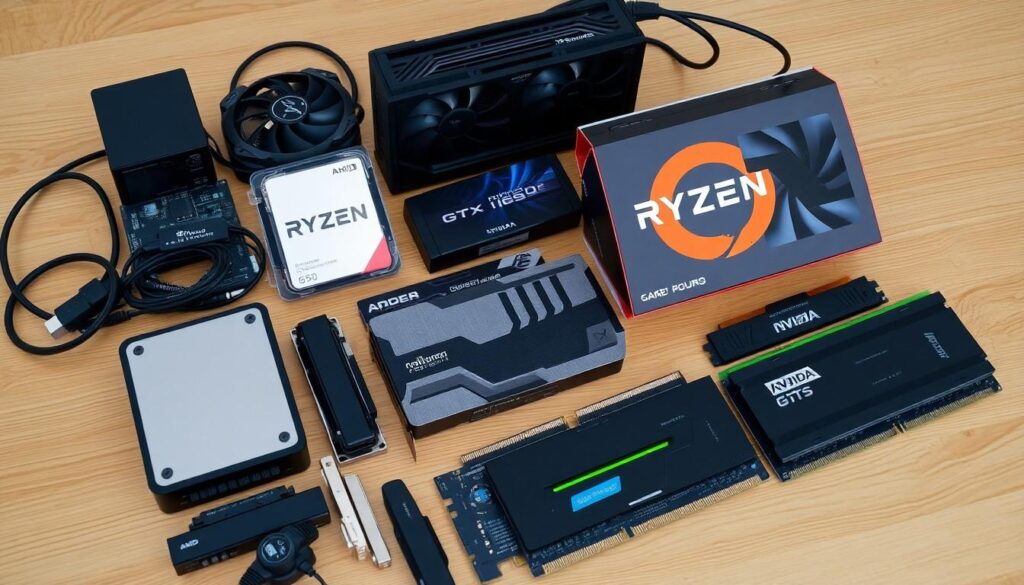
Selecting the right components is crucial for creating a cost-effective gaming PC. Each part plays a significant role in performance and budget.
Processor Selection
Choosing the processor requires careful consideration. Affordable options include AMD Ryzen and Intel Core i3. Both provide adequate performance for entry-level gaming without overspending. Ryzen 3 3100 and Intel i3-10100 serve as great examples of budget-friendly CPUs. Performance remains solid in modern titles, ensuring a smooth gaming experience. Prioritizing these models offers value without sacrificing quality.
Graphics Card Options
Graphics cards significantly impact gaming performance. Mid-range options like Nvidia GTX 1650 and AMD Radeon RX 6500 XT deliver excellent graphics at a reasonable price. Each card supports 1080p gaming, making them suitable for most titles. Identifying deals or second-hand cards may further reduce costs without compromising performance. Investing in quality graphics ensures gamers enjoy an immersive experience.
RAM and Storage
RAM and storage selections enhance overall gameplay. A minimum of eight gigabytes ensures compatibility with most modern games, while sixteen gigabytes improves multitasking and performance. An SSD with at least 500GB capacity allows for faster loading times, enhancing user experience. Adding a secondary HDD can provide larger storage for an extensive game library. Balancing these components optimizes performance and keeps expenditures in check.
Budgeting Your Build
Budgeting is crucial for a successful gaming PC build. Establishing a financial plan helps prioritize essential components.
Setting a Price Target
Determine a realistic budget based on desired performance. The target should reflect both hardware costs and potential future upgrades. Aiming for a range between $500 and $800 covers most entry-level setups. This budget allows for quality components, which enhances the gaming experience without breaking the bank. The focus needs to remain on critical parts like the CPU and GPU. Selecting affordable CPU options like the AMD Ryzen 3 3100 ensures solid performance within this price range. Additionally, establish a contingency for unforeseen expenses. Planning effectively prevents overspending while still building a capable gaming rig.
Finding Deals and Discounts
Hunting for discounts can significantly reduce costs. Online platforms often feature flash sales and special promotions on hardware. Websites such as Newegg and Amazon frequently offer bundles that provide better value. Checking local computer shops might reveal hidden gems in clearance sections. Don’t overlook the possibility of buying used or refurbished components, which can save money without sacrificing quality. Following tech forums and subreddit pages dedicated to PC building can yield valuable tips on current deals. Signing up for newsletters from retailers can also grant access to exclusive discounts. Be proactive in exploring sales events like Black Friday or Cyber Monday for substantial savings.
Building Process
Constructing a gaming PC requires attention to detail and careful planning. Following the right steps ensures a successful build.
Assemble Your Components
Begin by laying out all components for easy access. Start with the CPU by placing it carefully in the motherboard socket. Next, install the RAM in the designated slots, ensuring the clips lock in place. Attach the CPU cooler, following the manufacturer’s instructions for optimal installation. Secure the motherboard inside the case, aligning it with standoffs. Add the power supply next, making sure to route cables for a clean finish. A mid-range GPU comes next, fitting it into the PCIe slot. Finally, connect storage drives, using the SATA cables to link SSDs or HDDs to the motherboard.
Installation Tips
Always ground yourself before handling components to prevent static discharge. Use a manual for guidance during assembly. Align connectors correctly to avoid damaging them. Ensure clear airflow within the case by managing cables neatly. During installation, double-check each connection for stability. Test the system before sealing the case by powering it on, ensuring all components function. Keep an eye on temperatures using monitoring software post-build. Upgrading components later requires easy access, so maintain space for future modifications.
Performance Expectations
Budget gaming PCs deliver solid performance for many titles, allowing users to enjoy gaming without major financial strain. They excel in 1080p gaming, offering smoother frame rates in less demanding scenarios.
Games to Test
Players can run various games to gauge the PC’s performance. Titles like Fortnite, Apex Legends, and League of Legends are great starting points for testing capabilities. Each game varies in system requirements, but they provide a clear sense of how well the components handle different graphic loads. Assessing performance in games known for both competitive play and visual appeal yields valuable insights into overall capabilities. Testing additional titles such as Overwatch or Minecraft also showcases the versatile nature of the build.
Optimization Tips
Maximizing performance in a budget build involves several strategies. Users should keep drivers updated for optimal compatibility and performance. Lowering in-game settings enhances frame rates while maintaining visual quality. Additionally, managing background applications frees up resources, contributing to smoother gameplay. Regular system maintenance, such as dusting components, prevents overheating and extends lifespan. Choosing the right power settings can also yield performance improvements, prioritizing efficiency and stability during gameplay.
Conclusion
Building a budget-friendly gaming PC is not just a dream; it’s an achievable goal for anyone willing to put in the effort. By focusing on essential components and smart shopping, gamers can create a powerful setup without breaking the bank. Prioritizing key parts like the CPU and GPU ensures optimal performance while staying within budget.
With careful planning and attention to detail during the building process, users can enjoy a smooth gaming experience. This guide empowers readers to take control of their gaming aspirations, proving that a fantastic gaming rig is within reach, regardless of financial constraints. Embracing creativity and resourcefulness will lead to a rewarding gaming experience that doesn’t compromise on quality.